FRC Rebound Rumble Vision System

One and a half weeks until we were heading to the First Robotics World Championship in St. Louis and our vision targeting system needed some serious TLC. At our last regional we swapped out our old system which was running on board the CRio with a new vision system that I had written using the smart dashboard which allowed us to offload the vision system to the driver station. The new vision system was way better for a number of reasons but admittedly the performance of the vision system was about the same.

In addition to changing where the vision processing was done I also totally changed the algorithm to use higher level OpenCV functions as opposed to the old system which was a crude stride detector operating on raw pixels implemented by another mentor. For worlds there was some debate over which approach was better and frankly despite what many people may have thought we really had no idea how well or not well either approach actually worked.

I’ve come to notice a common pitfall when dealing the so called “real” systems people tend to make small changes and then watch it work once and think they have fixed or improved it. I understand why there is a ton of temptation to simply try your new idea and this isn’t wrong just sometimes we need to take a step back and do it properly. This was one of those times and it presented a great opportunity to teach the students about proper testing, ground truth and of course explain this pitfall.

So I headed to the warehouse where our field was setup and using a simply extension to the smart dashboard that I wrote I collected 1000 images of the vision targets at various orientations and angles. The vision target for reference:
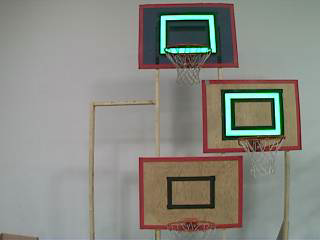
You wouldn’t think that finding a giant glowing green rectangle would present much of a problem, I mean I wish all computer vision problems were this simple, but none the less there are some details which make it tricky. The net likes to obstruct the rectangle causing a break in it – this can be easily fixed with morphological operators but this can get you into trouble by joining the target stadium lights from above. TL;DR yeah it’s easy but still not trivial.

So what am I going to do with all these data it isn’t labelled - oh wait don’t I mentor a team of 40 high school students? commence image labelling sweat shop! Seriously though we had all hands on deck for this one, I made a simple procedure to follow and then everyone helped label the data.
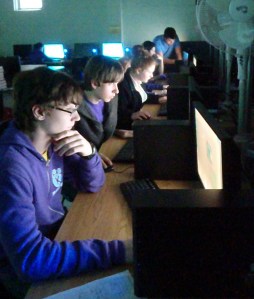
Truth Labelling is fun!

Fun times! Check out the full blog post from KBotics for more pics:

http://kbotics.ca/2012/04/05/image-processing-party/

I took the labelled data and created a program to test the algorithms on – first run it was pretty clear my new algorithm found the target in ~850 of the images while the old approach found 3… After some parameter tweaking I was able to get my algorithm to detect 997 of the 1000 - notbad.jpg!

Here is a link to the github repo for our final vision system: github.com/pickle27/2809_vision2012.git

Next KBotics meeting I presented my findings and taught all the students about how our vision system works, I like to think they learned a thing or two ;)
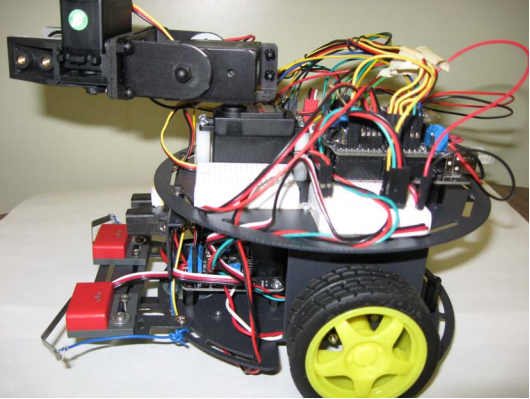
Arduino + Bluetooth + XBox 360 Controller = Fun!

Earlier this week I was asked to put together a robotics demo for the Electrical and Computer Engineering first year discipline night. This is the night where we try and entice the first years (Queen’s is a general first year) to choose ECE for their discipline for second and hopefully subsequent years. Now I could have ran any number of basic demonstrations that would have taken no time at all but of course I chose to take the opportunity to do something cool (well at least I think it is cool…).

Being the teaching assistant for ELEC 299, a second year course which uses mobile robots, I had access to some pretty cool hardware. I’d been playing with the robots for a while so I knew all the basic features now it was time to go above and beyond.

robot

I hooked up the bluetooth shield and started looking into how to send commands from my computer. I had a program from previous years in the course that did just this but it was in the form of a windows binary and I a) couldn’t be bothered to boot into windows and b) wanted to do it myself anyways. I googled around for a bluetooth library and decided on pybluez with python. It took me a bit to get set up to send data between the two but it wasn’t too tough. I borrowed a getch() class from stack overflow to facilitate only grabbing one key press at a time and then sent it to the robot. Of course I chose the familiar control scheme of W S A D`.

Here is the python code, it’s pretty simple:

from bluetooth import *
from getch import getch

MAC_ADR = "00:3C:B8:B1:14:22"

# Discovery
#print "performing inquiry..."
#nearby_devices = discover_devices(lookup_names = True)
#print "found %d devices" % len(nearby_devices)
#for name, addr in nearby_devices:
     #print " %s - %s" % (addr, name)

# Create the client socket
client_socket = BluetoothSocket( RFCOMM )
client_socket.connect((MAC_ADR, 1))

print "Connected"
print "Press 'q' to quit"

key = 0;
while key != 'q':
    key = getch() #gets 1 key only
    print key
    client_socket.send(key)

# Close the connection
client_socket.close()

and the getch class

class _Getch:
    """Gets a single character from standard input.  Does not echo to the screen."""

    def __init__(self):
      try:
          self.impl = _GetchWindows()
      except ImportError:
          self.impl = _GetchUnix()

    def __call__(self): return self.impl()

class _GetchUnix:
    def __init__(self):
        import tty, sys

    def __call__(self):
        import sys, tty, termios
        fd = sys.stdin.fileno()
        old_settings = termios.tcgetattr(fd)
        try:
            tty.setraw(sys.stdin.fileno())
            ch = sys.stdin.read(1)
        finally:
            termios.tcsetattr(fd, termios.TCSADRAIN, old_settings)
        return ch

class _GetchWindows:
    def __init__(self):
        import msvcrt

    def __call__(self):
        import msvcrt
        return msvcrt.getch()

getch = _Getch()

After I got the connection stuff working and out of the way it was pretty simple to write an Arduino program to accept my input and respond accordingly.

But I wasn’t done just yet! I wanted to take my demo further and use an XBox 360 controller instead of the keyboard. It turns out this really wasn’t too hard I used pygame to read from the joystick and the rest is pretty much history. Now I will admit at this point I had pretty much proved my point and I needed to get back to more important work so the final result was a bit of a cop out. Rather than modify my Arduino program to read analog data over serial and really use the controller I simply mapped joystick values to W A S D in python before sending it over bluetooth. It would be really cool to come back and finish this properly but for now my demo was done.

XBox 360 Controller python code:

#!/usr/bin/env python

import bluetooth
import serial
import pygame
import time
import math

# init controller
pygame.init()
controller = pygame.joystick.Joystick(0)
controller.init()
print 'Xbox Controller Connected'


# Create the client socket
MAC_ADR = "00:3C:B8:B1:14:22"
client_socket = bluetooth.BluetoothSocket( bluetooth.RFCOMM )
client_socket.connect((MAC_ADR, 1))
print "Bluetooth Connected"
print ' '
print ' '


print '/**************************/'
print 'Joystick Drive Program'
print "Press 'q' to quit"
print '/**************************/'

key = 0
y = 0
x = 0
while key != 'q':
    for event in pygame.event.get():
        if event.type == pygame.JOYAXISMOTION:
            if event.axis == 1:
                y = event.value
                if math.fabs(y) < 0.2:
                    y = 0
            if event.axis == 3: #4 in windows, 3 in linux
                x = event.value
                if math.fabs(x) < 0.2:
                    x = 0


    # send to arduino
    command = ' '
    if y < 0:
        command = 'w'
    elif y > 0:
        command = 's'
    elif x < 0:
        command = 'a'
    elif x > 0:
        command = 'd'

    print command
    client_socket.send(command)
    print client_socket.recv(1024)


# Close the connection
client_socket.close()

And finally the Arduino Program:

// bluetoothDrive
// Kevin Hughes
// 2012

// Motor Pins
int E1 = 6;
int M1 = 7;
int E2 = 5;
int M2 = 4;

void setup()
{
  // set pin modes
  pinMode(E1, OUTPUT);
  pinMode(M1, OUTPUT);
  pinMode(E2, OUTPUT);
  pinMode(M2, OUTPUT);

  // init
  Serial.begin(115200);
}


void loop()
{
  int command;
  if(Serial.available()) {
    command = Serial.read();

    // Moving
    if(command==119)
      driveForwards();
    if(command==115)
      driveReverse();
    if(command==97)
      turnLeft();
    if(command==100)
      turnRight();
    if(command==32)
      driveStop();

  }// end if
}


// Subroutines and Functions
void driveForwards() {
  digitalWrite(M1,HIGH);
  digitalWrite(M2,HIGH);
  analogWrite(E1,100);
  analogWrite(E2,100);
}

void driveReverse() {
  digitalWrite(M1,LOW);
  digitalWrite(M2,LOW);
  analogWrite(E1,100);
  analogWrite(E2,100);
}

void driveStop() {
  digitalWrite(M1,HIGH);
  digitalWrite(M2,HIGH);
  analogWrite(E1,0);
  analogWrite(E2,0);
}

void turnLeft() {
  digitalWrite(M1,HIGH);
  digitalWrite(M2,LOW);
  analogWrite(E1,100);
  analogWrite(E2,100);
}

void turnRight() {
  digitalWrite(M1,LOW);
  digitalWrite(M2,HIGH);
  analogWrite(E1,100);
  analogWrite(E2,100);
}

Pretty simple really it just waits for a serial command, checks if it matches W A S or D and then executes the appropriate code.

Hope you enjoyed this, the demo was a hit at the discipline night!

Just Finished my 2 first massive open online courses (MOOCs)

A while back I heard that Stanford was going to offer 3 of their 4th year / grad level computer science courses: Introduction to Artificial Intelligence, Machine Learning and Databases for free over the internet. This sounded like an opportunity not to be missed so I signed up for AI and Machine Learning. I’m not going to lie these courses kind of pushed my work load over the limit for the term as I was also enrolled in 2 graduate classes at my own university but it was totally worth it! So much learning!!!

Both classes were fantastic but I think I have to hand it to Machine Learning for being the single best class I’ve ever taken. I think it was the superbly done programming assignments that really made that class.

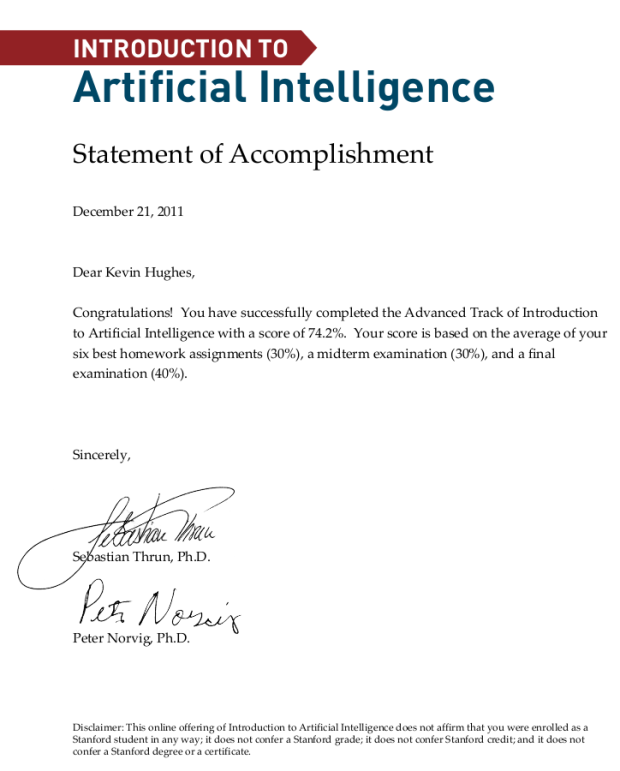
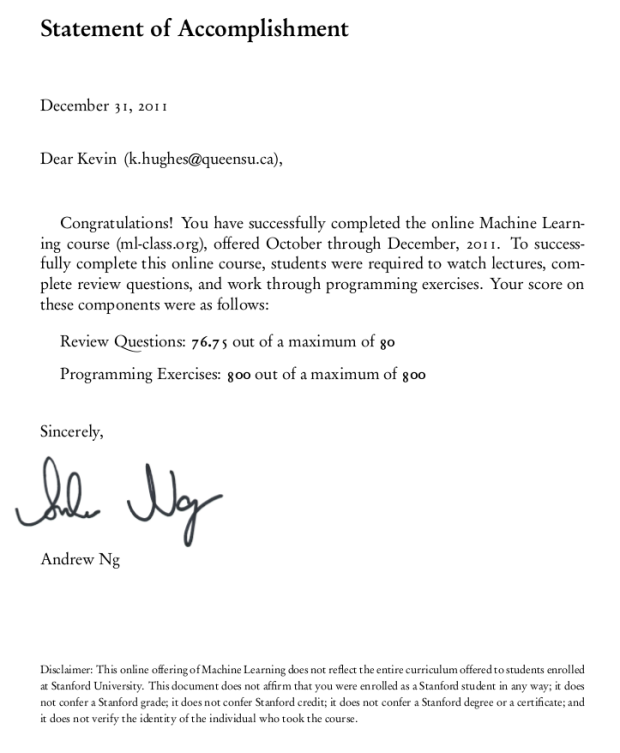
I want to post my hard-earned Statements of Accomplishment for these two amazing courses:

ml_cert

ai_cert

I really hope there are more classes like this in the future and that other Universities take note of the success Stanford had with this experiment. This could be the future of education!!!

* Update *

Based on the success of these first offerings Sebastian Thrun of Stanford and Google decided to start an open online University: Udacity.

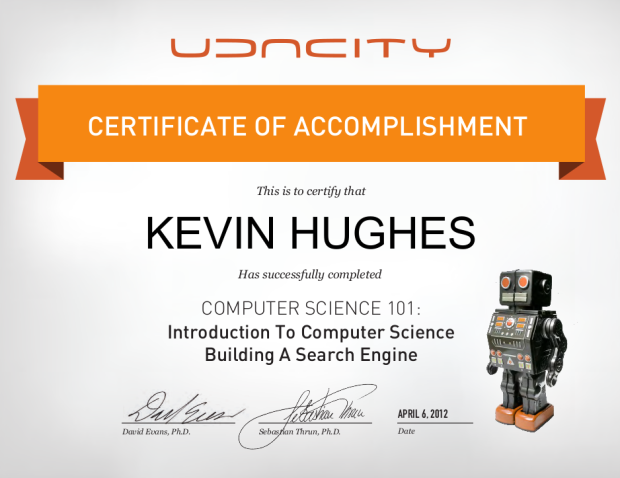
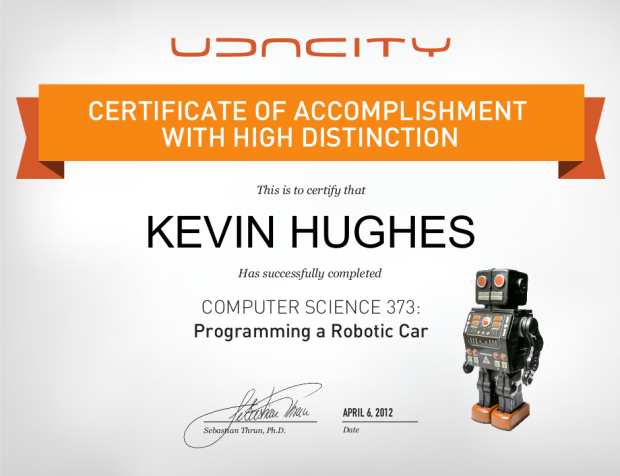
I took the first 2 courses ever offered by Udacity - CS 101 - Building a Search Engine and CS 373 Programming a Robotic Car. I am quite impressed with what they have put together in such a short time. The online interactive python interpreter really improves over just the simple multiple choice and number entry questions featured in the original AI class. I still think the programming assignments are a little bit behind the ones from Andrew Ng’s Machine Learning class but some of that might just be related to subject matter :) (Machine Learning is tough to beat in coolness in my opinion and it lends itself nicely to assignments)

Again I’d like to proudly share my Certificates of Accomplishment for these 2 courses:

101_cert

373_cert

I really like the way Udacity is going with open online education. The fact that they are their own entity and are not tied to an existing institution makes them more interesting with respect to the future of education. I also like the amount of street cred they have going on - Sebastian Thrun (he worked on the Google cars) teaching about autonomous vehicles is about as good as it gets. They’ve also announced an upcoming course on web-apps taught by Steve Huffman one of the co-founders of reddit - pretty legit.